Skip to content
Few things are more annoying than typing a Windows product key and getting slapped with a message like “This product key didn’t work,” “The key is invalid,” or a code such as 0xC004F050. You know you have a real key, you’re connected to the internet, yet Windows refuses to activate.
The good news: in most cases, this is fixable. The bad news: the error can come from several different causes—edition mismatch, license type limits, hardware changes, or even a simple typo. This guide walks you through the real reasons Windows 10 or Windows 11 keys fail, and the safe, official ways to fix activation without risky scripts or shady workarounds.
Why Your Windows Product Key Isn’t Working
Windows activation errors usually fall into a few predictable buckets. Understanding which one applies to you makes troubleshooting faster.
1. You Installed the Wrong Windows Edition
This is the #1 cause of the “key not working” problem. A Windows 11 Pro key will not activate Windows 11 Home, and a Windows 10 Home key won’t activate Pro. When the edition doesn’t match, Windows throws errors like 0xC004F050. The Windows Club+2Geekflare+2
Example mismatches:
- Home key → Pro installation
- Pro key → Home installation
- Windows 10 key → Windows 11 Enterprise/LTSC installation
2. You Entered the Key Incorrectly
Product keys are 25 characters long and easy to mistype. Common look-alike errors include:
- B vs 8
- G vs 6
- O vs 0
- S vs 5
Even a single wrong character triggers “invalid key” and 0xC004F050. Geekflare+1
3. The Key Type Doesn’t Fit the Activation Method
Not all keys work the same way:
- Retail keys activate on Microsoft servers and can be transferred (with limits).
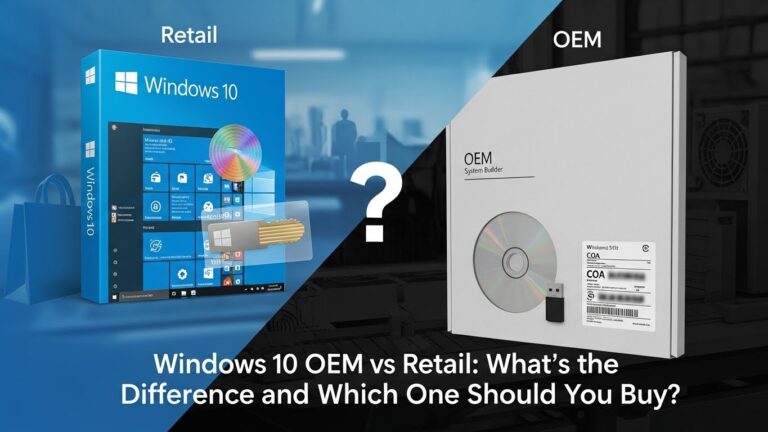
- OEM keys are tied to the original PC hardware.
- Volume keys (MAK/KMS) are intended for organizations and may require a corporate network/KMS server. Microsoft Learn+1
Using a volume key on a personal device without the right environment often fails.
4. The Key Was Already Used Too Many Times
Retail keys have activation limits. If the same key is used on multiple different devices, Windows may block it. OEM keys are even stricter and generally don’t transfer at all. Microsoft Learn+1
5. You Changed Hardware
Windows activation is linked to a “hardware ID.” If you changed your motherboard, CPU, or sometimes even SSD, Windows may think it’s a new PC and reject the key. Microsoft Learn+1
Step-by-Step Fixes for Windows 10/11 Product Key Errors
Work through these in order. Most users solve the issue in the first few steps.
Fix 1: Confirm Your Windows Edition Matches Your Key
- Go to Settings → System → About
- Check Windows specifications → Edition
Now compare that edition to your key.
- If your key is Pro, you must install/upgrade to Pro.
- If your key is Home, you must be on Home. The Windows Club+1
If editions don’t match:
You have two safe options:
- reinstall the correct edition, or
- upgrade your edition first, then activate.
Fix 2: Re-enter the Key Carefully
Go to:
Settings → System → Activation → Change product key
Re-type slowly and double-check each character. This simple step solves many cases of 0xC004F050. Geekflare+1
Fix 3: Run the Windows Activation Troubleshooter
- Settings → System → Activation
- Click Troubleshoot
If you changed hardware, choose:
“I changed hardware on this device recently”
Then sign in to the Microsoft account that previously had your digital license. Microsoft Learn+1
This is Microsoft’s official way to rebind licenses after upgrades.
Fix 4: Check Internet and Time Settings
Windows needs a stable connection to validate most keys.
- Make sure you’re online (try another network if needed).
- Turn off VPN temporarily.
- Verify date/time:
Settings → Time & language → Date & time → Set time automatically
Incorrect clocks can block activation. Geekflare+1
Fix 5: Activate Using Command Line (Official Method)
Sometimes the Activation UI fails but the license system still works. Use SLMGR, Microsoft’s built-in tool:
- Open Command Prompt as Administrator
- Run:
slmgr /ipk YOUR-PRODUCT-KEY
slmgr /ato
Then verify status:
slmgr /xpr
If the key is valid and matches your edition, this often activates instantly. The Windows Club+2Microsoft Learn+2
Fix 6: Repair System Files (SFC + DISM)
Corrupted licensing or system files can cause activation failures.
- Open Command Prompt as Administrator
- Run:
sfc /scannow
- After that, run:
DISM /Online /Cleanup-Image /RestoreHealth
Restart and try activation again. Geekflare+1
Fix 7: Use Phone Activation (Offline/Backup Method)
If online activation won’t work, Microsoft still supports phone activation in many regions:
- Press Win + R
- Type:
slui 4
- Select your country
- Call the number shown, follow prompts, and enter the confirmation ID. Guiding Tech+1
This is especially useful if your key is legitimate but blocked by routing or server errors.
Common Error Codes and What They Mean
0xC004F050
Meaning: The key is invalid for your current edition, or typed incorrectly.
Fix: Check edition match, re-enter key, use troubleshooter. Geekflare+2The Windows Club+2
0xC004F074
Meaning: Windows can’t reach activation server (or KMS server).
Fix: Check internet/VPN, try again, or use phone activation. Microsoft Learn+1
0x803FA067 / “Key already used”
Meaning: Activation limit reached or license tied elsewhere.
Fix: Troubleshooter + Microsoft account, or phone activation. Microsoft Learn+1
When a Windows 10 Key Won’t Activate Windows 11
Yes, many Windows 10 retail keys can activate Windows 11—but only if the edition aligns and the key is valid. If a Windows 10 Pro key won’t activate Windows 11 Pro, it’s usually due to:
- wrong Windows 11 edition installed
- OEM key tied to old hardware
- activation limits exceeded
- previous digital license not linked to your Microsoft account The Windows Club+1
Follow the same fixes above—especially edition matching and troubleshooter.
What NOT to Do (Important Safety Note)
Avoid these “solutions” no matter how tempting they look:
- third-party “activators”
- cracked ISO installs
- registry hacks for licensing
- scripts claiming to “unlock Pro for free”
They often install malware, break Windows updates, or violate licensing terms. Stick with the official methods in this guide. The Windows Club+1
Final Thoughts
A Windows 10/11 product key not working error is frustrating—but rarely permanent. Most activation failures come down to edition mismatch, typos, license type limits, or hardware changes. If you methodically check your edition, re-enter the key, run the troubleshooter, and use safe activation paths like SLMGR or phone activation, you’ll resolve the issue in almost every legitimate case.