Skip to content

Why This Comparison Matters in 2025
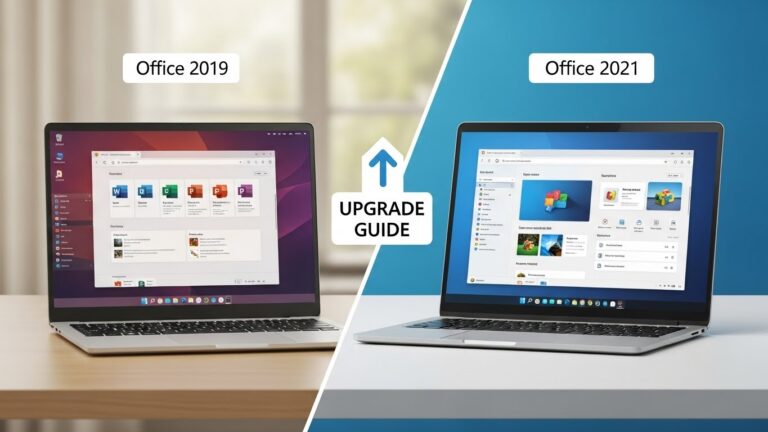
If you’ve been using Microsoft Office for years, you probably do not think about it much. It’s like plumbing. You only notice it when something changes. And now something has changed. Office 2024 is here, and anyone on Office 2021 is wondering the same thing. Do I really need to upgrade, or am I fine staying put?
That question matters more in 2025 than it did in earlier years because Microsoft is not just releasing “Office but newer.” They are reshaping how Office behaves. We are talking AI layered into everyday workflows, a suite built to play nicer with Windows 11, and collaboration tools that assume you’re living at least partly in the cloud.
So this is not a showdown between “old and new.” It is more like choosing between two personalities:
- One that is modern, AI friendly, cloud synced, and built for teamwork.
- Another that is stable, familiar, lighter on your computer, and happy to work offline all day.
Let’s unpack what that actually means for you.
Two “Perpetual” Office Suites, Two Different Philosophies
Here is a quick reminder before we dive deeper. Both Office 2024 and Office 2021 are one time purchase suites. No subscription required. You buy them once, install them, and keep using them.
So you are not comparing a subscription to a one off license here. You are comparing two perpetual suites that take different approaches to what Office should be in 2025.
Quick Snapshot: Office 2024 vs Office 2021
Before we get into the weeds, let’s zoom out for a second.
What They Both Still Include
Both versions come with the familiar pillars of Office life:
- Word
- Excel
- PowerPoint
- Outlook
So yes, you can still write, calculate, present, and email either way. The foundation is the same.
Where They Start to Split
The split happens in the extras and in how Microsoft is pushing the Office experience:
- Office 2024 brings heavier AI integration and more collaboration polish.
- Office 2021 sticks to a simpler, traditional setup and includes certain apps like Publisher that 2024 drops.
Think of this like two kitchens with the same core ingredients, but one adds a shiny new food processor and a smart oven, while the other keeps the old reliable setup you already know how to use blindfolded.
The Big Picture Difference
Office 2024 as a Modern, Future Focused Suite
Office 2024 is basically Microsoft saying, “Office should help you think faster, write faster, analyze faster, and collaborate smoother.” It keeps the classic Office feel, but layers in automation and cloud tied features more aggressively.
It is aimed at people who want Office to do more of the heavy lifting.
Office 2021 as the Classic, Lightweight Workhorse
Office 2021 is the suite for people who just want Office to stay Office. No AI copilots popping in. No extra resource demands. No surprises. It is stable, reliable, and easier on older machines.
It is aimed at people who want Office to stay out of the way.
AI and Copilot in Office 2024
If Office 2024 had a billboard feature, this would be it. Expanded AI built around Copilot in core apps. And to be clear, this is not a tiny “nice to have.” It changes how you work.
What Copilot Changes Day to Day
Imagine having a super competent assistant who does not get tired, does not complain, and can handle the boring parts instantly. That is the vibe here.
Word AI Writing Support
Office 2024’s Word AI helps you:
- draft text faster
- rephrase sentences more smoothly
- generate summaries
- adjust tone with contextual suggestions
Instead of wrestling with a paragraph for 20 minutes, you can get a solid draft quickly and then shape it into your voice.
Excel AI Insights and Natural Language Help
Excel can be a beast. Anyone who has ever stared at a spreadsheet wondering why a formula hates them knows that feeling.
With Office 2024:
- Copilot can spot trends automatically
- suggest analyses
- help create formulas and charts using natural language
You do not need to remember the exact syntax for every function. You can ask for what you want and let Excel translate your intent into the math.
PowerPoint AI Design Assistance
PowerPoint in Office 2024 gets AI help that can:
- propose layouts
- generate slide content
- improve visual consistency
It is like having a designer in your pocket. If you have ever wasted an hour nudging boxes around so they line up perfectly, you know why that matters.
What Office 2021 Lacks Here
Office 2021 does not come with comparable native AI features. So on a pure productivity and automation level, it is playing a different game.
If the idea of AI support feels exciting, or just useful, Office 2024 has a clear lead.
Publisher Is Gone in Office 2024
Here is a twist that caught a lot of people off guard. Office 2024 removes Microsoft Publisher from the suite.
What Microsoft Removed and Why It Matters
Publisher used to be part of the package. In 2024, it is no longer included. Microsoft is basically signaling that most users have moved to other design tools, online creative platforms, or even Word for basic layouts.
So Publisher got the axe.
Who Should Stick With Office 2021 Because of Publisher
If you rely on Publisher for brochures, flyers, newsletters, or desktop publishing tasks for school or work, then Office 2021 is the safer choice because it still includes Publisher 2021.
If you never touch Publisher, you will not miss it. But for those who do, this is a deciding factor, not a footnote.
Performance and Windows 11 Optimization
Office 2024 is not only about feature upgrades. It is also tuned for modern systems, especially Windows 11.
Why Office 2024 Feels Faster on Modern PCs
Microsoft has prioritized speed, stability, and responsiveness in Office 2024, especially when AI tools or cloud syncing are active. In everyday use, this translates to smoother performance on newer hardware and a more current feel.
Office 2021 Still Runs Great for Standard Tasks
Office 2021 still performs perfectly well for normal workloads like documents, spreadsheets, presentations, and email. It just does not get the same future facing optimization priority.
If you are on Windows 11 and want something designed with it in mind, Office 2024 has the edge. If your tasks are standard, Office 2021 is still solid.
Collaboration and Cloud Tools
Both versions allow sharing files through OneDrive and doing basic real time work together. But Office 2024 sharpens that experience.
Office 2024’s Real Time Teamwork Upgrades
Office 2024 improves syncing speed, real time co authoring stability, and switching between desktop and cloud versions. If you work in shared docs every day, that smoother workflow adds up fast. It is like upgrading from a narrow road to a highway. Same destination, fewer headaches.
When Office 2021 Collaboration Is Enough
If you mostly work alone, or your collaboration needs are occasional and simple, Office 2021 still holds up fine. The upgrade is meaningful mainly for people who live in team based file sharing.
System Requirements and Hardware Reality Check
Here is where the rubber hits the road. Office 2024 demands newer hardware. Office 2021 is more forgiving.
Office 2024 Requirements (Newer Hardware Bias)
Office 2024 expects:
- Windows 10 or 11, 64 bit only
- more RAM (around 8 GB recommended)
- SSD strongly preferred
- DirectX 12 level graphics support
That is the price of AI and heavier cloud processes.
Office 2021 Requirements (Older Hardware Friendly)
Office 2021 supports:
- 32 bit and 64 bit Windows 10 or 11
- comfortable use on 4 GB RAM
- smaller storage needs
- compatibility with older GPUs
So if you are on an older laptop, Office 2021 will likely feel smoother. If your PC is newer, Office 2024 will run well and offer more tools.
Sometimes your hardware makes the decision for you before you even finish reading the comparison.
Picking the Right Version for Your Work Style
Let’s ditch the abstract and talk real life. Here is who each suite fits best.
Best Fit for Students and Heavy Multitaskers
If you are a student juggling essays, research, group projects, and endless presentations, Office 2024’s AI tools can save serious time. Faster drafting in Word, easier analysis in Excel, quicker deck building in PowerPoint. That is a practical advantage when deadlines stack up.
Best Fit for Businesses and Teams
Teams that collaborate daily will benefit from Office 2024’s smoother co authoring and syncing. If your work involves shared spreadsheets, multi person presentations, or constant version updates, then Office 2024’s collaboration polish is worth real money in saved time and fewer mistakes.
Best Fit for Offline, Simplicity First Users
If your workflow is mostly local, files stored on your drive, offline editing, and no need for AI help, and you prefer a familiar Office without extra layers, Office 2021 is still a smart buy. And again, if you need Publisher, that tips things hard toward 2021.
The Microsoft 365 Side Note
Just to keep the map complete.
One Time Purchase vs Subscription Mindset
Office 2024 and Office 2021 are perpetual licenses. You buy once.
Microsoft 365 is the subscription model with continuous updates. Some people love that. Others do not want recurring fees.
If you want to own your software outright, either 2024 or 2021 fits that preference.
Final Verdict
Let’s wrap the logic into something simple and usable.
When Office 2024 Clearly Wins
Choose Office 2024 if you want built in AI support across Word, Excel, and PowerPoint, better teamwork and cloud syncing, a suite optimized for Windows 11, and the most modern Office experience. It is the right lane for people who want Office to help more instead of just exist.
When Office 2021 Still Makes More Sense
Choose Office 2021 if you need Publisher included, a stable familiar interface without AI layers, strong offline workflows, performance on older or lower end PCs, and a lighter system footprint. For many users, that is not settling. That is picking what actually fits.
Conclusion
So, which Office version should you buy in 2025? It comes down to what kind of user you are and what kind of machine you are working with.
If you want AI to speed up your writing, simplify your spreadsheets, and make your presentations look better with less effort, Office 2024 is your move. It is designed for the direction Office is heading, more automation, more collaboration, and more Windows 11 first performance.
But Office 2021 still is not outdated. If you rely on Publisher, prefer simplicity, or need something that runs lightly on older hardware, 2021 remains a practical smart buy.
In short:
- Office 2024 for AI productivity, teamwork, and future proofing.
- Office 2021 for Publisher, offline stability, and lighter system demands.
Pick the one that matches your workflow, not the one that sounds newest on paper.
FAQs
1. Does Office 2024 include the same core apps as Office 2021?
Yes. Both include Word, Excel, PowerPoint, and Outlook. The difference is in newer tools, AI features, and changes like Publisher being removed in 2024.
2. Is the AI in Office 2024 actually useful, or just hype?
It is useful if you want help drafting in Word, analyzing in Excel, or designing in PowerPoint. If you like manual control and do not need automation, you may not care.
3. Why did Microsoft remove Publisher in Office 2024?
Publisher is not included in Office 2024 anymore, likely because many users shifted to other design tools. If Publisher matters to you, Office 2021 is the safer pick.
4. Will Office 2024 run well on an older laptop?
Office 2024 needs newer hardware. 64 bit Windows, more RAM recommended, and SSD preferred. Older laptops usually run Office 2021 more comfortably.
5. Should I just get Microsoft 365 instead?
Microsoft 365 is a subscription with ongoing updates. Office 2024 and 2021 are one time purchases. If you do not want monthly or yearly fees, stick to the perpetual versions.