Skip to content
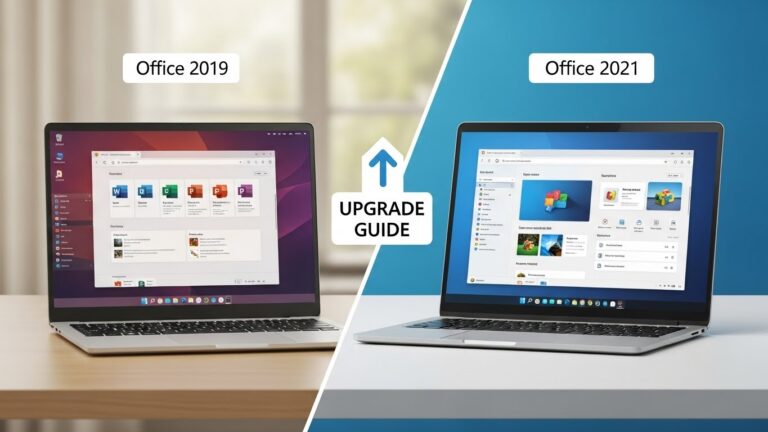
Outlook has always been Microsoft’s command center for email, calendars, contacts, and tasks. But Outlook 2021 quietly brought some of the most practical improvements in years—especially for users who want a stable, non-subscription Office version that still feels modern. If you’re upgrading from Outlook 2019 or earlier, Outlook 2021 gives you new tools to find messages faster, communicate across languages, work naturally with stylus or touch, and create richer emails with less effort. Microsoft Support
This guide breaks down the best Outlook 2021 features, explains why they matter in real workflows, and helps you decide if Outlook 2021 is the right desktop email client for your needs in 2025.
What Is Outlook 2021?
Outlook 2021 is the desktop email and calendar app included in Microsoft Office 2021 and Office LTSC 2021. You buy it once, install it on your Windows PC, and keep using it without monthly fees. Unlike Microsoft 365 Outlook, Outlook 2021 doesn’t receive ongoing feature drops—Microsoft locks the feature set to the 2021 version and delivers only security and reliability updates. That makes it ideal for users who value a predictable interface and offline-first performance. Microsoft Support+1
1. Search at the Top: Find Emails Faster
Let’s start with the feature most people notice immediately. Outlook 2021 moves Instant Search to the top of the app, above the ribbon. That placement sounds small, but it changes day-to-day speed. Instead of hunting for search in different panes, you click once and start typing. Microsoft Support
Why it matters
- You locate conversations in seconds, not minutes.
- You search emails, calendars, contacts, and attachments from one consistent spot.
- You reduce inbox friction during busy workdays.
If you live in Outlook all day—support inboxes, sales follow-ups, project comms—Search at Top is a genuine workflow upgrade.
2. Built-In Translator: Read and Reply Across 70+ Languages
Outlook 2021 includes a built-in Translator add-in that lets you translate email content inside Outlook. You don’t need to copy/paste into a browser or rely on third-party plugins. Outlook can translate messages into more than 70 languages in just a click. Microsoft Support
Real-world benefits
- International teams read and respond without switching tools.
- Customer support can handle multilingual queries faster.
- Remote workers avoid misunderstandings from language gaps.
It’s especially valuable for small businesses and freelancers who communicate globally but don’t want the complexity of enterprise translation tools.
3. Ink and Annotation Tools: Natural Notes on Emails
Outlook 2021 adds ink support, meaning you can draw, highlight, or annotate directly on email screenshots and images using a mouse, pen, or touchscreen. You can also open a canvas to sketch ideas quickly. Microsoft Support
Who benefits most?
- Tablet and Surface users who prefer handwriting.
- Designers and reviewers marking up images.
- Teams who want quick visual feedback instead of long text explanations.
Ink turns Outlook from a purely “type-and-send” tool into something more fluid for visual communication.
4. Rich Stock Media: Better Emails in Less Time
Outlook 2021 taps into Microsoft’s Premium Creative Content library, giving you access to polished stock images, icons, and visual elements right inside Office apps. That matters if you send newsletters, announcements, product updates, or internal memos that need to look professional without extra design tools. Microsoft Support
Why this is useful
- You create cleaner internal announcements quickly.
- You avoid downloading random web images with licensing risk.
- You improve readability and engagement in long emails.
Even if you only send visual content occasionally, having safe, consistent media built in is a quiet productivity win.
5. Hex Color Power: Consistent Branding and Better Formatting
Outlook 2021 (along with other Office 2021 apps) supports Hex color values in the color dialog. If you’ve ever tried to match your email banners or table highlights to a brand color, you know how annoying RGB conversion can be. Now you can paste a hex code like #0F4C81 and get the exact shade. Microsoft Support
Practical uses
- Marketing emails stay on brand.
- Internal templates look consistent.
- Your formatting doesn’t drift between apps.
Small detail, big polish.
6. Calendar Improvements That Support Busy Schedules
Microsoft didn’t overhaul the Outlook calendar in 2021 the way it has in some Microsoft 365 updates, but Outlook 2021 still brings smoother scheduling and improved responsiveness. It’s faster at loading shared calendars and handling large meeting threads, which helps if you schedule heavily. Computer Tech Reviews+1
What you feel day-to-day
- Faster opening and switching between calendars.
- Cleaner meeting organization in long threads.
- More stable coordination in shared environments.
These aren’t flashy features, but they reduce friction for people who live by their calendar.
7. Solid Offline Performance
One major reason people choose Outlook 2021 over Microsoft 365 is offline reliability. Outlook 2021 is a classic desktop app with full PST/OST support and excellent local caching. You can work in planes, low-connectivity areas, or secure environments without cloud dependence. Microsoft Learn+1
Why it still matters in 2025
Remote work is everywhere, but bandwidth and reliability aren’t. Outlook 2021 stays usable even when Wi-Fi doesn’t.
8. Familiar Interface with Modern Polish
Outlook 2021 doesn’t force you into a new “Mail app” style experience. If you know Outlook 2016 or 2019, you’ll feel at home. But Microsoft refined the UI for clarity and consistency across Office 2021, giving Outlook a cleaner visual rhythm without breaking the muscle memory users rely on. IONOS
That’s a big deal for teams: less retraining, fewer “where did that button go?” moments.
9. Security You Can Trust
Outlook 2021 benefits from modern Microsoft security baselines: updated encryption methods, tighter authentication support, and continued patching throughout the Office 2021 support lifecycle. It’s built to work smoothly with current Exchange, Microsoft 365, and third-party mail providers while staying stable. Microsoft Support+1
What this means for you
- Safer email handling.
- Better protection against attachment-based threats.
- Ongoing security updates without feature turbulence.
For businesses, stability plus security is often more valuable than constant new features.
Outlook 2021 vs Microsoft 365 Outlook: The Key Difference
Here’s the honest take:
- Outlook 2021 gives you a one-time purchase with a stable feature set.
- Microsoft 365 Outlook gives you continuous feature updates and deeper AI tools like Copilot (plan-dependent). Microsoft Support+1
If you want predictable software and no subscription, Outlook 2021 is an excellent choice. If you want the newest AI and cloud-first features every month, Microsoft 365 is the better fit.
Who Should Use Outlook 2021?
Outlook 2021 is a smart pick if you:
- want a one-time Office license
- work mainly on one Windows PC
- prefer a stable interface for teams or training
- rely on offline email access
- need powerful mail + calendar without subscriptions Microsoft Support+1
It’s especially good for small businesses, freelancers, schools, and users upgrading from Office 2016/2019 who want modern essentials without Microsoft 365 pricing.
Final Thoughts
Outlook 2021 proves that “perpetual Office” doesn’t mean outdated Office. With Search at Top, built-in translation, ink annotations, rich stock media, hex color support, smoother performance, and long-term security, Outlook 2021 is still one of the best desktop email clients for users who want control, polish, and reliability